Azure Local | Troubleshoot a Solution Update Blocked by Defender ASR
 Alex ter Neuzen
On this page
The update simply would not start.
This one comes from a customer case: a three-node Azure Local cluster that I wanted to move to the September cumulative update. The prepare step came back with a 409 Conflict, and the update itself was in a state I had not seen before:
PS C:\Users\hciadmin> $Update = Get-SolutionUpdate -Id "redmond/Solution12.2609.1003.7"
PS C:\Users\hciadmin> $Update | Format-List DisplayName, Version, State, ResourceId, MinVersionRequired

DisplayName        : 2026.09 Cumulative Update
Version            : 12.2609.1003.7
State              : NotApplicableBecauseAnotherUpdateIsInProgress
ResourceId         : redmond/Solution12.2609.1003.7
MinVersionRequired : 12.0.1003.0

PS C:\Users\hciadmin> Get-SolutionUpdate -Id "redmond/Solution12.2609.1003.7" | Start-SolutionUpdate -PrepareOnly
Start-SolutionUpdate : A RestResponse of Conflict was received calling POST on https://azl-node01.contoso.local:4900/providers/Microsoft.Update.Admin/updateLocations/redmond/updates/Solution12.2609.1003.7/prepare?api-version=2022-08-01.
Another update in progress? That part was no surprise. The June update, 2606, had failed in October and was still on InstallationFailed. What nobody knew yet was why it had failed, and as long as it stayed that way, nothing newer would install.
So what was actually going on?
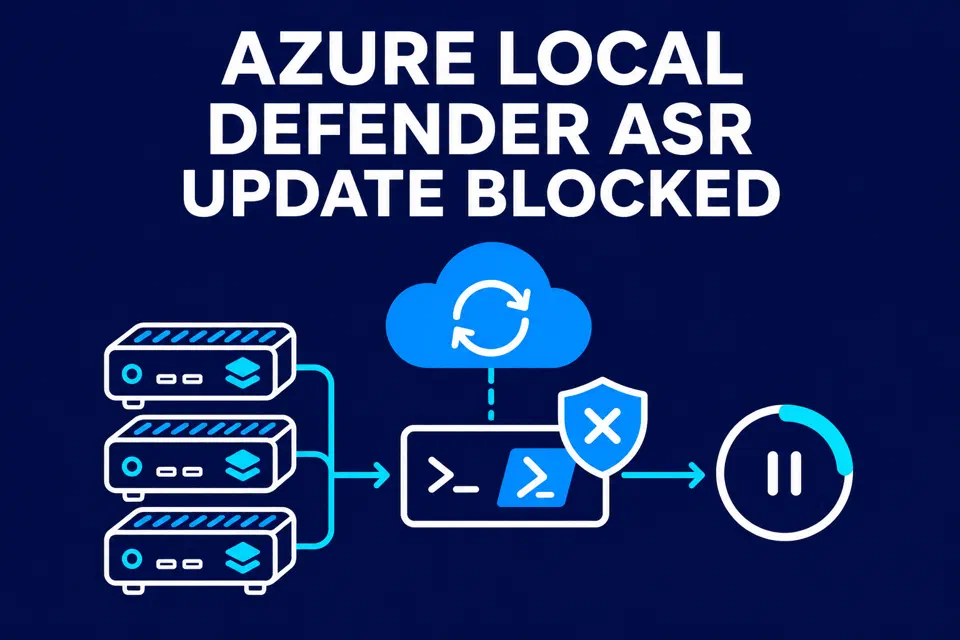
Short version: the update was fine. Microsoft Defender was not. In this post I walk through how I found that out, with the commands and output from the cluster, and how to fix it at the source so the next update does not end up in the same place.
The Environment#
This is a customer cluster, so I anonymized it. Node, cluster and domain names and the admin account are changed, and run and action plan IDs are partly masked with xxxx. Timestamps, versions, event IDs and error messages are exactly as they came out of the cluster.
| Property | Value |
|---|---|
| Platform | Azure Local, three nodes, domain-joined |
| Stuck update | 12.2606.1003.205 (2026.06), InstallationFailed |
| Wanted update | 12.2609.1003.7 (2026.09) |
| Security baseline | Azure Local defaults, drift control enabled |
| Defender | Defender for Endpoint, policy managed from Intune |
| Defender platform | 4.18.26080.4 at the time of the failure |
Step 1: Find the update that is in the way#
NotApplicableBecauseAnotherUpdateIsInProgress does not tell you which update is in the way. List them all with their state:
Get-SolutionUpdate | Sort-Object Version | Format-Table DisplayName, Version, State, HealthState -AutoSizeLook for anything that is not Ready, Installed or one of the NotApplicable... states. On this cluster that was no mystery: the June cumulative update, 12.2606.1003.205, had failed in October and was still on InstallationFailed.
A failed update keeps the door closed. Until it is resumed and finished, nothing newer will start.
So the real question was why 2606 failed.
Step 2: Ask the orchestrator what went wrong#
Every Start-SolutionUpdate creates an update run, and the run has an action plan behind it. From version 2503 onward, Microsoft supports Start-MonitoringActionplanInstanceToComplete to read that action plan. Get the latest run of the failed update and feed its ID to the monitor:
$run = Get-SolutionUpdate | Where-Object State -eq "InstallationFailed" |
    Get-SolutionUpdateRun | Sort-Object TimeStarted -Descending | Select-Object -First 1
$id  = ($run.ResourceId -split '/')[-1]
Start-MonitoringActionplanInstanceToComplete -actionPlanInstanceID $id
The interesting part of the output:
Found following 1 error(s):
RolePath: CAU
Interface: EvalCauRetryApplicability

Type 'EvalCauRetryApplicability' of Role 'CAU' raised an exception:
CAU Run failed. The latest cluster update status is 'Failed'.
The overall FullyQualifiedErrorId is 'MaxFailedNodesExceeded,Microsoft.ClusterAwareUpdating.Commands.InvokeCauRunCommand'.
The node 'azl-node01' failed to update.
The error message is 'System.Management.Automation.RuntimeException: All updates failed to install.'.
Exceeded max CAU retries (2). Please investigate before retrying.

InstanceID     : 362b6a45-xxxx-xxxx-xxxx-6277964de053
ActionPlanName : MAS Update - Rerun
Status         : Failed
StartDateTime  : 12-10-2026 01:05:50
EndDateTime    : 12-10-2026 01:17:46
Cluster-Aware Updating (CAU) failed on a node, the orchestrator retried twice and then stopped. “All updates failed to install” is about as generic as an error gets. It tells you where it broke, not why.
It also turned out to name the wrong node. More on that in a moment.
Step 3: Read the CAU reports#
CAU keeps its own reports, and those are much more specific. My first attempt, from a remote PowerShell session on one of the nodes, failed:
Get-CauReport : There was a failure in a Common Information Model (CIM) operation, that is, an operation performed by software that Cluster-Aware Updating depends on. The computer was "azl-clus01", and the operation was "Contacting the Cluster-Aware Updating software on the cluster node.". The failure was: A specified logon session does not exist. It may already have been terminatedThat is the classic double hop. Get-CauReport opens a new CIM connection to the cluster name, and your credentials do not travel along from an Enter-PSSession. Pass -Credential, or run it from an RDP session on a node. I used RDP. First the list of runs:
PS C:\Users\hciadmin> Get-CauReport -ClusterName azl-clus01 | Format-Table -AutoSize

ClusterName Status    StartTimestamp      Updates succeeded / failed / canceled
----------- ------    --------------      -------------------------------------
azl-clus01  Succeeded 2-7-2026 21:51:33              3 /      /
azl-clus01  Failed    11-10-2026 20:35:44            1 /    1 /
azl-clus01  Failed    11-10-2026 21:56:14            1 /    1 /
azl-clus01  Failed    11-10-2026 23:17:43              /    1 /
azl-clus01  Failed    12-10-2026 03:12:12              /    1 /
Four failed runs in one evening. To see the result per node, export each detailed report to CSV. Two tips from experience: the CSV has two header sections, so Import-Csv mixes up the columns, and exporting all runs into one file only gave me the last run. One file per run and a plain Select-String works:
$r = Get-CauReport -ClusterName azl-clus01 -StartDate (Get-Date '2026-10-11') -EndDate (Get-Date '2026-10-13') -Detailed
$i = 0
foreach ($rep in $r) {
    $i++
    $rep | Export-CauReport -Format CSV -Path "$env:TEMP\cau-run$i.csv" -TimeZone ([TimeZoneInfo]::Local)
}
1..4 | ForEach-Object { "--- run $_ ---"; Get-Content "$env:TEMP\cau-run$_.csv" | Select-String 'azl-node0' }
With the long hotfix path shortened to ...:
--- run 1 ---
azl-node01,Succeeded,...\CAUHotfix_All\InstallMsuFiles.ps1,"InstallMsuFiles.ps1",11-10-2026 20:35:55,...,3010,0710f665-xxxx-...
azl-node02,Failed,...\CAUHotfix_All\InstallMsuFiles.ps1,"InstallMsuFiles.ps1",11-10-2026 21:26:24,...,0xffffffff,0710f665-xxxx-...
--- run 2 ---
azl-node01,Succeeded,...\CAUHotfix_All\InstallMsuFiles.ps1,"InstallMsuFiles.ps1",11-10-2026 21:56:26,...,0,427df0c2-xxxx-...
azl-node02,Failed,...\CAUHotfix_All\InstallMsuFiles.ps1,"InstallMsuFiles.ps1",11-10-2026 21:59:57,...,0xffffffff,427df0c2-xxxx-...
--- run 3 ---
azl-node01,Failed,...\CAUHotfix_All\InstallMsuFiles.ps1,"InstallMsuFiles.ps1",11-10-2026 23:21:19,...,0xffffffff,5824a16e-xxxx-...
--- run 4 ---
azl-node01,Failed,...\CAUHotfix_All\InstallMsuFiles.ps1,"InstallMsuFiles.ps1",12-10-2026 03:15:48,...,0xffffffff,8514e1a3-xxxx-...
Now it gets interesting. In runs 1 and 2, node01 installed the update fine (3010 means success, reboot required) and node02 failed. In runs 3 and 4, node01 itself failed. Every failure is the same script, InstallMsuFiles.ps1, with exit code 0xffffffff.
A node that installs the update at 20:35 and fails the same script at 23:21 the same evening? Something changed on that node in between.
The detailed report also shows how the orchestrator starts CAU, which explains why node03 was never touched:
Invoke-CauRun -ClusterName "azl-clus01" -CauPluginName 'Microsoft.HotfixPlugin'
    -MaxFailedNodes 0 -MaxRetriesPerNode 3
    -NodeOrder @( 'azl-node01', 'azl-node02', 'azl-node03' )
    -StopOnPluginFailure -SeparateReboots ...
A fixed node order and -MaxFailedNodes 0: the first failing node stops the whole run, and every retry starts again at node01. That is also why the orchestrator error named node01. It only reports the last run.
Step 4: Check what Defender saw#
The script runs as NT AUTHORITY\SYSTEM, started through WMI. That combination rang a bell, and Microsoft has a troubleshooting guide for exactly this: a solution update that fails in CAU because a Defender attack surface reduction (ASR) rule blocks WMI. ASR blocks are logged as event 1121 in the Defender operational log, audits as 1122. On node01:
Get-WinEvent -FilterHashtable @{LogName='Microsoft-Windows-Windows Defender/Operational'; Id=1121;
    StartTime=(Get-Date '2026-10-11 20:00'); EndTime=(Get-Date '2026-10-12 04:00')} |
    Where-Object Message -match 'D1E49AAC' | Format-List TimeCreated, Message
One of the events it returned, trimmed:
TimeCreated : 12-10-2026 03:15:48
Message     : Microsoft Defender Exploit Guard has blocked an operation that is not allowed by your IT administrator.
                ID: D1E49AAC-8F56-4280-B9BA-993A6D77406C
                Detection time: 2026-10-12T01:15:48.978Z
                User: NT AUTHORITY\SYSTEM
                Path: C:\Windows\System32\WindowsPowerShell\v1.0\powershell.exe
                Process Name: C:\Windows\System32\wbem\WmiPrvSE.exe
                Target Commandline: "C:\WINDOWS\System32\WindowsPowerShell\v1.0\powershell.exe" -File "\\localhost\C$\ClusterStorage\Infrastructure_1\Shares\SU1_Infrastructure_1\CloudMedia\Platform\CAUHotfix_All\InstallMsuFiles.ps1"
                Parent Commandline: C:\WINDOWS\system32\wbem\wmiprvse.exe
D1E49AAC-8F56-4280-B9BA-993A6D77406C is the rule Block process creations originating from PSExec and WMI commands. Microsoft describes it as blocking processes created through PsExec and WMI, because malware uses both to run code remotely. A sensible rule on a laptop. On an Azure Local node it also blocks the CAU hotfix plugin, which launches InstallMsuFiles.ps1 through WmiPrvSE.exe.
I ran the same query on node02 and put the timestamps next to the CAU report:
| Run | Node | CAU failure | ASR block (1121) |
|---|---|---|---|
| 1 | azl-node02 | 21:26:24 | 21:26:24 |
| 2 | azl-node02 | 21:59:57 | 21:59:57 |
| 3 | azl-node01 | 23:21:19 | 23:21:19 |
| 4 | azl-node01 | 03:15:48 | 03:15:48 |
Same node, same script, same second. Four times.
The CAU retries show up too: each run has an earlier block on the same node a few minutes before the final failure (21:22:54, 21:56:26, 23:17:49 and 03:12:18).
Step 5: Find out who set the rule to Block#
The next question was why node01 was fine at 20:35 and blocked at 23:21. Defender logs every configuration change as event 5007, with the old and the new value:
Get-WinEvent -FilterHashtable @{LogName='Microsoft-Windows-Windows Defender/Operational'; Id=5007} |
    Where-Object Message -match 'd1e49aac' | Select-Object -First 10 TimeCreated, Message | Format-List
On node01:
TimeCreated : 11-10-2026 22:30:00
Message     : Microsoft Defender Antivirus Configuration has changed. If this is an unexpected event you should review
              the settings as this may be the result of malware.
                Old value: HKLM\SOFTWARE\Policies\Microsoft\Windows Defender\Windows Defender Exploit Guard\ASR\Rules\d1e49aac-8f56-4280-b9ba-993a6d77406c = 0x2
                New value: SCC\Windows Defender Exploit Guard\ASR\Rules\d1e49aac-8f56-4280-b9ba-993a6d77406c = 0x1
At 22:30, between run 2 and run 3, the rule went from 2 (Audit) to 1 (Block). On node02 the same switch had already happened on 29 September, which is why node02 failed first. Further back in the log, the rule had been flipping between the two values on both nodes since early September.
Two sources are fighting here. The HKLM\SOFTWARE\Policies\... value with 0x2 is what the Azure Local security baseline sets. The other source, labeled SCC, sets 0x1 and wins.
To rule out the usual suspects, I checked the current state on node01:
PS C:\Users\hciadmin> $p = Get-MpPreference
PS C:\Users\hciadmin> $i = [array]::IndexOf(($p.AttackSurfaceReductionRules_Ids | ForEach-Object { $_.ToUpper() }), 'D1E49AAC-8F56-4280-B9BA-993A6D77406C')
PS C:\Users\hciadmin> if ($i -ge 0) { $p.AttackSurfaceReductionRules_Actions[$i] } else { 'not configured' }
1

PS C:\Users\hciadmin> gpresult /scope computer /r
    Group Policy was applied from:      dc01.contoso.local
    Applied Group Policy Objects
    -----------------------------
        Local Group Policy

PS C:\Users\hciadmin> Get-AzsSecurity -FeatureName DriftControl
True
Still Block. No domain GPO applied at all. The baseline value under the policy key was 2, and drift control was enabled, so the baseline was doing its job. It just was not the value Defender used. On node02:
PS C:\Users\hciadmin> Get-MpComputerStatus | Format-List IsTamperProtected, TamperProtectionSource, AMProductVersion

IsTamperProtected      : True
TamperProtectionSource : Intune
AMProductVersion       : 4.18.26100.4
The nodes get their Defender policy from Intune, through Defender for Endpoint. Microsoft does not document what SCC stands for in a 5007 event, so I will not pretend to know. What the evidence does show: it is not a GPO, it is not a local setting, and it beats the local value every time.
The Root Cause#
A Defender for Endpoint ASR policy, delivered from the cloud through Intune, set the rule Block process creations originating from PSExec and WMI commands to Block on the Azure Local nodes. The Azure Local baseline sets the same rule to Audit, but the cloud policy wins. CAU starts its installer through WMI, Defender blocks it, CAU gives up after its retries, and the solution update stays on InstallationFailed. Every newer update then waits behind it.
The Fix#
Microsoft’s guidance is to set the rule to Audit, which is also the Azure Local baseline value, and to change it in every place that sets it centrally. Otherwise the next policy refresh puts it back.
Option A: Intune or the Defender portal#
This was the situation here. The Defender portal and Intune show the same endpoint security policies, so use whichever your security team works in:
- Open the Microsoft Defender portal and go to Endpoints > Configuration management > Endpoint security policies.
- On the Windows policies tab, find the policies built on the Attack surface reduction rules template.
- Check which of them is assigned to a group that contains the Azure Local nodes.
- Set Block process creations originating from PSExec and WMI commands to Audit for the Azure Local nodes. Or take the nodes out of that policy and give them their own ASR policy.
- Check the policy assignments and group membership around the dates in your 5007 events. A rule that flips back and forth can point to a dynamic group or tag that keeps changing.
Option B: Group Policy or local configuration#
If your nodes get the rule from a GPO, change it there. Microsoft’s troubleshooting guide sets the local value with OSConfig:
Set-OSConfigDesiredConfiguration -Scenario Defender/Antivirus -Setting ASRBlockProcessCreationFromPSExecAndWMICommands -Value "2"On this cluster that cmdlet was not even available, and it would not have helped: the local value was already 2, and the cloud policy overrode it. From version 2610, Set-AzsSecurity blocks this setting from customization altogether. Microsoft wants the baseline value here, which is one more reason to fix the central policy instead of the node.
Resume the update#
Before resuming, check the effective value on every node, not only the one you are logged on to. It must return 2:
$p = Get-MpPreference
$i = [array]::IndexOf(($p.AttackSurfaceReductionRules_Ids | ForEach-Object { $_.ToUpper() }), 'D1E49AAC-8F56-4280-B9BA-993A6D77406C')
if ($i -ge 0) { $p.AttackSurfaceReductionRules_Actions[$i] } else { 'not configured' }
Check it again after a few hours, or after the next policy sync. You want to see a new 5007 event that switches the value back to the HKLM\SOFTWARE\Policies\... key with 0x2, and no switch back to SCC after it.
Then resume the failed update:
Get-SolutionUpdate | Where-Object State -eq "InstallationFailed" | Start-SolutionUpdateCAU starts at node01 again, which already has the update, then moves on to node02 and node03.
Verify#
During the CAU phase, watch the Defender log on the node being updated. You should now see event 1122 (audit) for InstallMsuFiles.ps1 instead of 1121. That is the rule still noticing the WMI launch, without stopping it.
When the run is done, the update should be Installed and the environment on the new version:
Get-SolutionUpdate | Format-Table DisplayName, Version, State -AutoSize
Get-SolutionUpdateEnvironment | Format-Table State, CurrentVersion
At the time of writing, the policy change is with the security team, so I cannot show you the green run yet. I will add it here once the cluster is through 2606 and on to the latest release.
What I know now!#
The orchestrator error names the last failure, not the first. It said node01 failed, but node01 had installed the update fine. The original failure was on node02. Always read the CAU reports for every run before you start fixing a node.
Check every node. The ASR rule switched to Block on node02 almost two weeks before node01. Checking only the node you happen to be logged on to would have shown Audit and sent me in the wrong direction.
“All updates failed to install” means very little on its own. The useful evidence was in three places: the CAU report per run, Defender event 1121 and Defender event 5007. Put the timestamps next to each other. When they match to the second, you have your answer.
A local fix does not stick when a cloud policy wins. The baseline registry value and drift control both held the right value. Defender still used the value from Intune. Fix the rule where it is set, or it comes back with the next policy refresh.
Watch out for the double hop. Get-CauReport from inside Enter-PSSession fails with “A specified logon session does not exist”. Use -Credential or work from an RDP session on a node.
A stuck update is a support clock. Microsoft supports Azure Local releases within an N-6 window of the latest build. A failed update that blocks everything behind it quietly moves you toward the edge of that window, while you are also missing every security update released since.
As always: test changes like this against your own release and policies before you roll them out in production. And if your security team runs a broad ASR policy for all servers, talk to them before the next update window, not during it.