
Azure Virtual Desktop | Intune – Set Timezone
Windows 11 Multi-Session hosts and Intune, it is a pain in the ass sometimes. Some policies are not applied because it is a multi-session host. For that you need to be creative and write some PowerShell. That PowerShell can be applied in Intune as a platform script and is targeted at the session host.
Setting the correct time zone and time format, for example. If you use a market place image from Microsoft, you will get of course an English formatted time and regional settings.
There are two options:
- Put it in the golden image using the Set Timezone Redirection which allows the Azure Virtual Desktop to use the client timezone.
- Use an Intune script to set the timezone
Intune
I created a script which can be targeted at the security groups which has the session hosts as member.
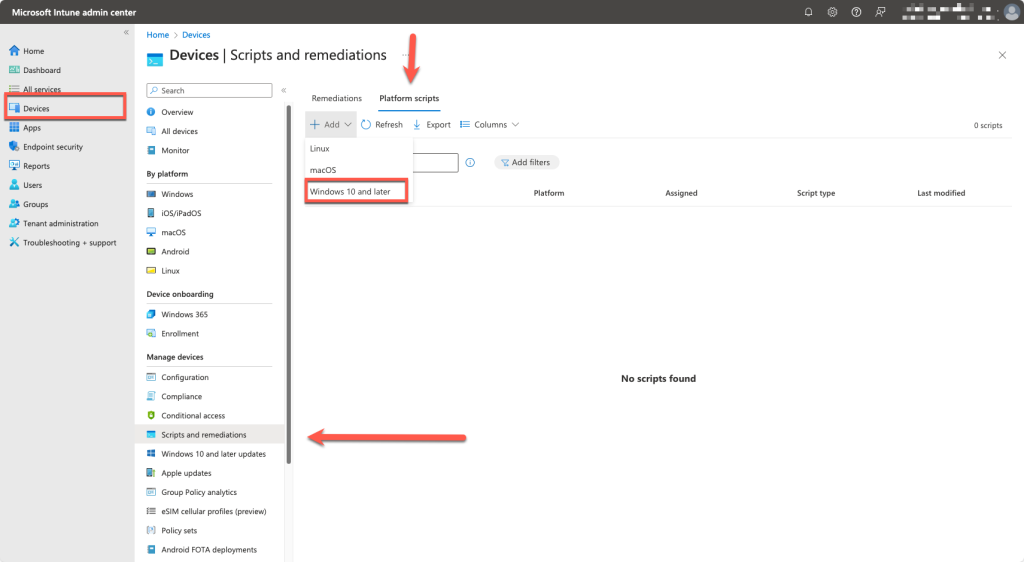
Add a Windows 10 or later platform script
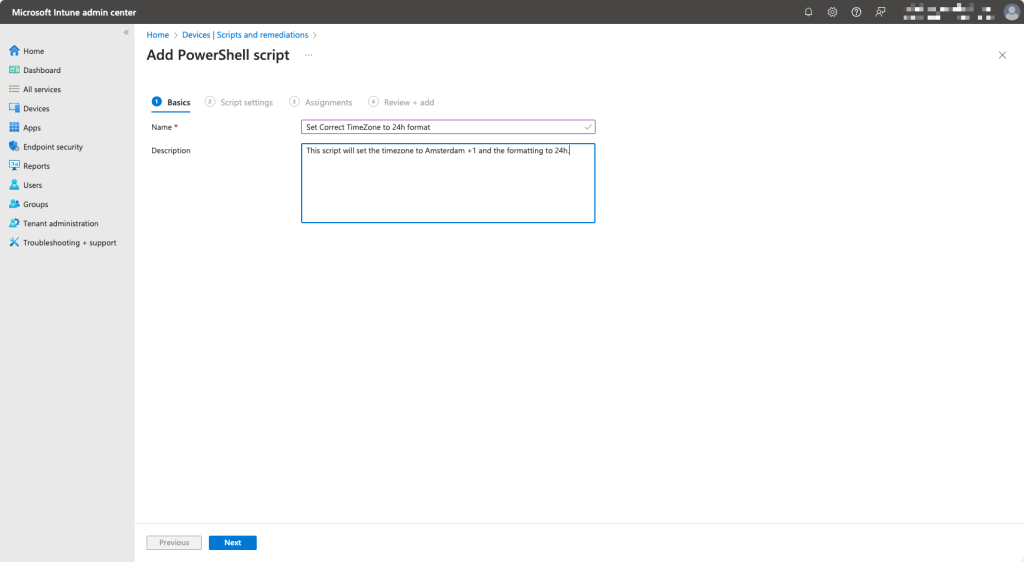
Provide a name and description
Create a script with these contents and save it.
New-ItemProperty -Path "Registry::HKEY_CURRENT_USER\Control Panel\International" -Name Locale -Value "00000413" -PropertyType String -Force
New-ItemProperty -Path "Registry::HKEY_CURRENT_USER\Control Panel\International" -Name LocaleName -Value "nl-NL" -PropertyType String -Force
New-ItemProperty -Path "Registry::HKEY_CURRENT_USER\Control Panel\International" -Name sCurrency -Value "€" -PropertyType String -Force
New-ItemProperty -Path "Registry::HKEY_CURRENT_USER\Control Panel\International" -Name sDate -Value "-" -PropertyType String -Force
New-ItemProperty -Path "Registry::HKEY_CURRENT_USER\Control Panel\International" -Name sLanguage -Value "NLD" -PropertyType String -Force
New-ItemProperty -Path "Registry::HKEY_CURRENT_USER\Control Panel\International" -Name sLongDate -Value "dddd d MMMM yyyy" -PropertyType String -Force
New-ItemProperty -Path "Registry::HKEY_CURRENT_USER\Control Panel\International" -Name sShortDate -Value "d-M-yyyy" -PropertyType String -Force
New-ItemProperty -Path "Registry::HKEY_CURRENT_USER\Control Panel\International" -Name sShortTime -Value "HH:mm" -PropertyType String -Force
New-ItemProperty -Path "Registry::HKEY_CURRENT_USER\Control Panel\International" -Name sTimeFormat -Value "HH:mm:ss" -PropertyType String -Force
New-ItemProperty -Path "Registry::HKEY_CURRENT_USER\Control Panel\International" -Name sYearMonth -Value "MMMM yyyy" -PropertyType String -Force
New-ItemProperty -Path "Registry::HKEY_CURRENT_USER\Control Panel\International\Geo" -Name Nation -Value "176" -PropertyType String -Force
New-ItemProperty -Path "Registry::HKEY_CURRENT_USER\Control Panel\International\Geo" -Name Name -Value "NL" -PropertyType String -Force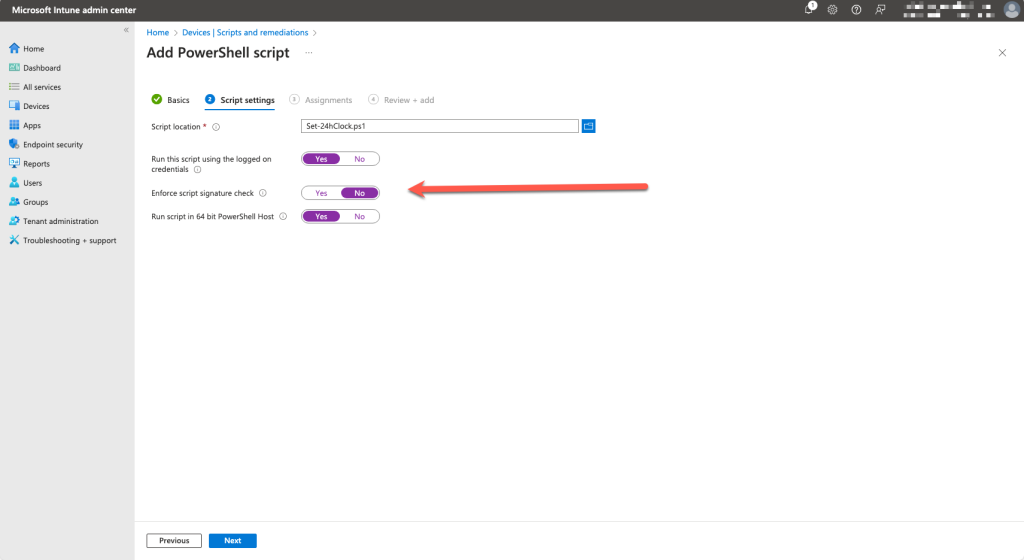
Add the script and set the Enforce script signature check to No
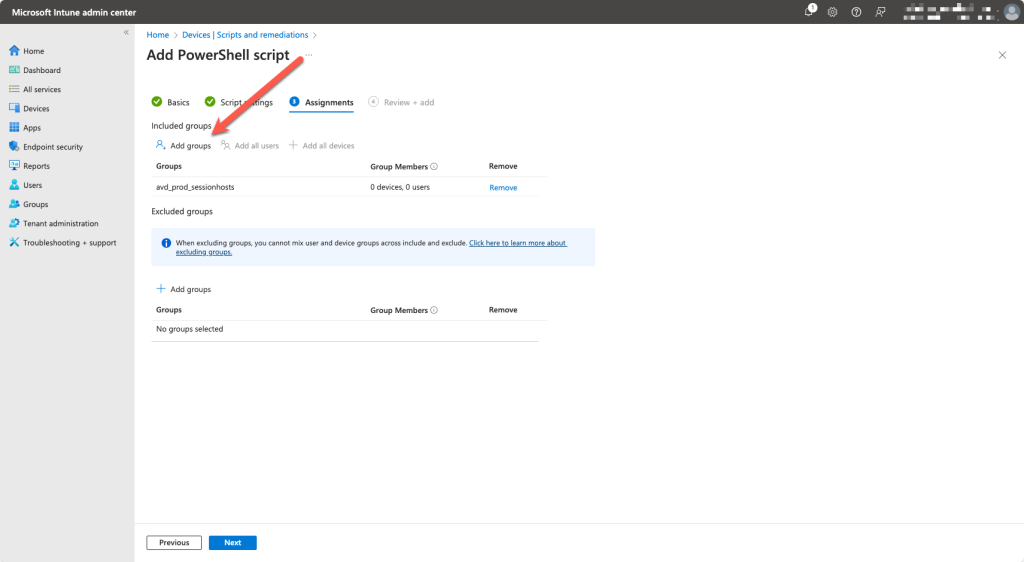
Select the device group and add it to the Included groups
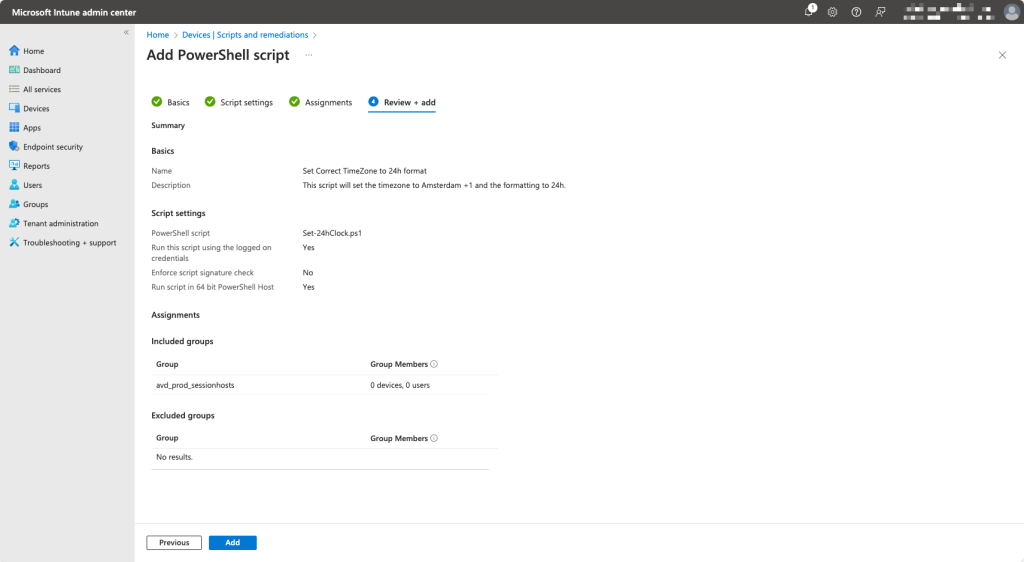
Verify and add the script