Azure Local | Local Admin

AzureLocalHomeLab
Reading Time: 2 minutes

When deploying an Azure Local environment, one of the foundational components you interact with is the local administrator account on each node. Although it may seem like a small detail in the broader deployment process, this account plays a critical role in both the installation workflow and the long‑term management of your homelab or production setup.

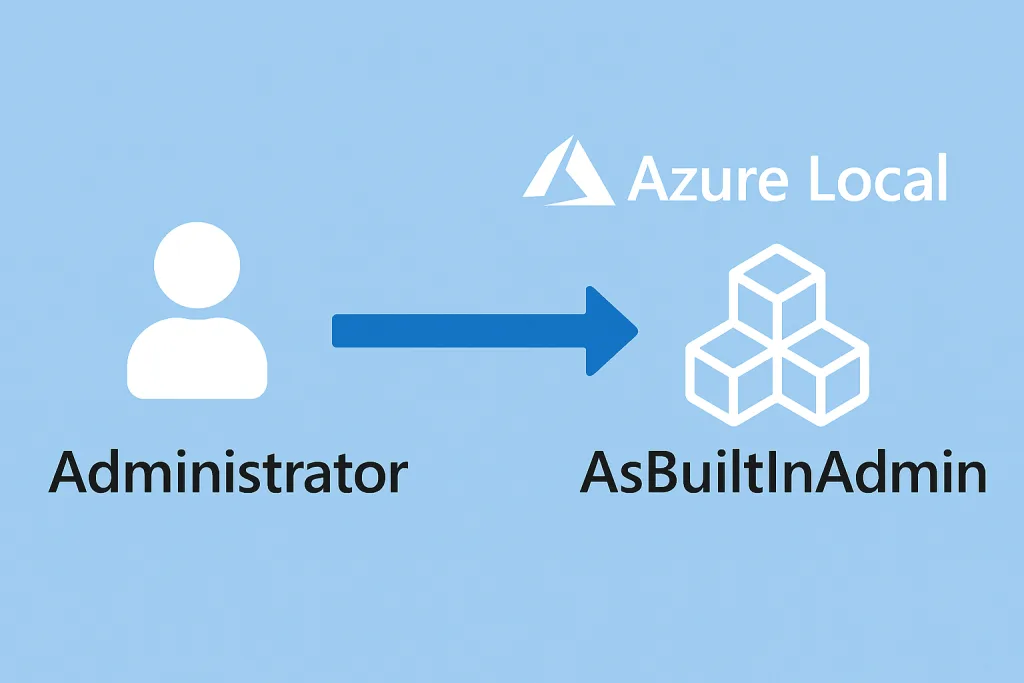
During the initial installation of Azure Local, the default Administrator account on the underlying operating system is automatically renamed to AsBuiltInAdmin. This change is intentional and part of Microsoft’s standardized security and identity model for Azure Local deployments. The password you provide during the setup wizard becomes the credential for this newly renamed account, and it remains the primary local administrative identity on the node.
This renaming process serves several purposes.

First, it aligns the node with Azure Local’s expected configuration baseline, ensuring consistency across deployments.

Second, it reduces the risk associated with well‑known default account names. While the account still exists and retains full administrative privileges, the modified name helps minimize exposure to automated attacks that target the generic “Administrator” identity.

The AsBuiltInAdmin account is used throughout the installation and configuration phases. It is the identity that Azure Local relies on to perform system‑level tasks, apply configuration changes, and manage services before the node is fully integrated with Active Directory or Azure Arc. Even after the cluster is operational, this account remains important for break‑glass scenarios or for performing maintenance tasks that require local access outside of domain authentication.

Because of its significance, it is essential to treat the AsBuiltInAdmin credentials with the same level of care as any privileged identity. Store the password securely, restrict access to it, and consider rotating it periodically as part of your security hygiene. In environments where Active Directory is used, day‑to‑day administration should ideally be performed using domain accounts with delegated permissions, reserving the local admin only for situations where it is explicitly required. This password is also encrypted saved to the KeyVault which is created during deployment.

Understanding how Azure Local handles the local administrator account helps ensure that your deployment remains secure, predictable, and aligned with best practices. While the renaming may seem like a small detail, it reflects the platform’s broader approach to standardization and security—two principles that are essential when building a reliable hybrid cloud environment.
Share and Enjoy !

Shares
Designer (23)

Stay close to the action—follow GetToThe.Cloud across social!
Deep dives and hands‑on how‑tos on Azure Local, hybrid cloud, automation, PowerShell/Bicep, AVD + FSLogix, image pipelines, monitoring, networking, and resilient design when the internet/Azure is down.

🔗 Our channels
▶️ YouTube: https://www.youtube.com/channel/UCa33PgGdXt-Dr4w3Ub9hrdQ
💼 LinkedIn Group: https://www.linkedin.com/groups/9181126/
✖️ X (Twitter): https://x.com/Gettothecloud
🎵 TikTok: https://www.tiktok.com/@gettothecloud
🐙 GitHub: https://github.com/GetToThe-Cloud/Website
💬 Slack: DM us for an invite
📲 WhatsApp: DM for the community link

We use cookies to personalise content and ads, to provide social media features and to analyse our traffic. We also share information about your use of our site with our social media, advertising and analytics partners. View more
Cookies settings
Accept
Privacy & Cookie policy
Privacy & Cookies policy
Cookie name Active

Who we are

Our website address is: https://www.gettothe.cloud

Comments

When visitors leave comments on the site we collect the data shown in the comments form, and also the visitor’s IP address and browser user agent string to help spam detection. An anonymized string created from your email address (also called a hash) may be provided to the Gravatar service to see if you are using it. The Gravatar service privacy policy is available here: https://automattic.com/privacy/. After approval of your comment, your profile picture is visible to the public in the context of your comment.

Media

If you upload images to the website, you should avoid uploading images with embedded location data (EXIF GPS) included. Visitors to the website can download and extract any location data from images on the website.

Cookies

If you leave a comment on our site you may opt-in to saving your name, email address and website in cookies. These are for your convenience so that you do not have to fill in your details again when you leave another comment. These cookies will last for one year. If you visit our login page, we will set a temporary cookie to determine if your browser accepts cookies. This cookie contains no personal data and is discarded when you close your browser. When you log in, we will also set up several cookies to save your login information and your screen display choices. Login cookies last for two days, and screen options cookies last for a year. If you select "Remember Me", your login will persist for two weeks. If you log out of your account, the login cookies will be removed. If you edit or publish an article, an additional cookie will be saved in your browser. This cookie includes no personal data and simply indicates the post ID of the article you just edited. It expires after 1 day.

Embedded content from other websites

Articles on this site may include embedded content (e.g. videos, images, articles, etc.). Embedded content from other websites behaves in the exact same way as if the visitor has visited the other website. These websites may collect data about you, use cookies, embed additional third-party tracking, and monitor your interaction with that embedded content, including tracking your interaction with the embedded content if you have an account and are logged in to that website.

Who we share your data with

If you request a password reset, your IP address will be included in the reset email.

How long we retain your data

If you leave a comment, the comment and its metadata are retained indefinitely. This is so we can recognize and approve any follow-up comments automatically instead of holding them in a moderation queue. For users that register on our website (if any), we also store the personal information they provide in their user profile. All users can see, edit, or delete their personal information at any time (except they cannot change their username). Website administrators can also see and edit that information.

What rights you have over your data

If you have an account on this site, or have left comments, you can request to receive an exported file of the personal data we hold about you, including any data you have provided to us. You can also request that we erase any personal data we hold about you. This does not include any data we are obliged to keep for administrative, legal, or security purposes.

Where we send your data

Visitor comments may be checked through an automated spam detection service.
Save settings
Cookies settings