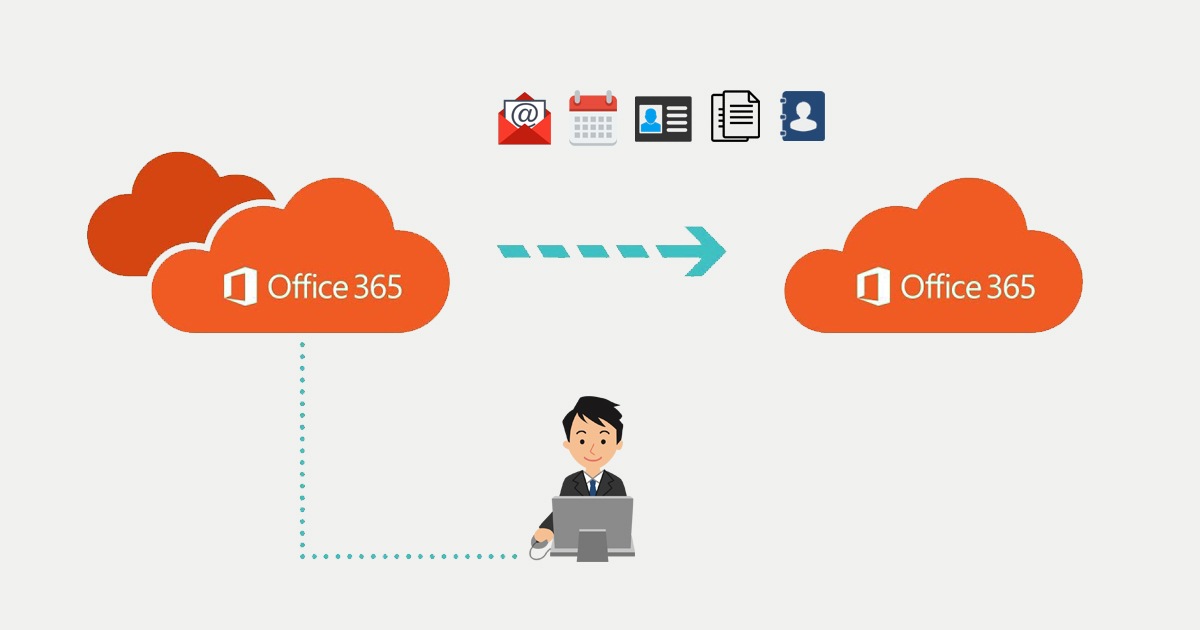

With the migration of User, Shared and Resource mailboxes, is the biggest job done. When every mailbox that needs to be migrated, is set in a batch and waiting for a finalize, we can move on to migrate the rest like Distribution Groups and MailContacts. Mailcontacts and Distribution groups are not supported by Microsoft to migrate. Therefore you need to recreate them and populate them with the original members.
Distribution Groups
Distribution groups also need to have also the correct information set, otherwise users using the autofill option won’t be able to send email to that group. Also you don’t want to recreate those groups with all those settings and owners in the gui.
First connect to the SOURCE tenant: GetToTheCloudSource.onmicrosoft.com
#Exchange Online Management v3 Powershell module
Install-Module -Name ExchangeOnlineManagement -RequiredVersion 3.0.0 -Force

#Connect to Exchange Online to source tenant
Connect-ExchangeOnline
Inventory all the current groups with their properties
$DistributionGroups = Get-DistributionGroup -Resultsize Unlimited
$groupInfo = @()
ForEach ($Group in $DistributionGroups) {
    #$Members = (Get-DistributiongroupMember $Group.PrimarySMTPAddress).PrimarySMTPAddress
    $item = [PSCustomObject]@{
        Name                               = $Group.Name
        Alias                              = $Group.Alias
        DisplayName                        = $Group.DisplayName
        Description                        = $Group.Description
        legacyExchangeDN                   = $Group.legacyExchangeDN
        HiddenFromAddressListsEnabled      = $Group.HiddenFromAddressListsEnabled
        RequireSenderAuthenticationEnabled = $Group.RequireSenderAuthenticationEnabled
        ManagedBy                          = $Group.ManagedBy
        PrimarySmtpAddress                 = $Group.PrimarySmtpAddress
        EmailAddresses                     = $group.EmailAddresses -join ","
        ModeratedBy                        = $Group.ModeratedBy
        SendModerationNotifications        = $Group.SendModerationNotifications
        MemberDepartRestriction            = $Group.MemberDepartRestriction
        MemberJoinRestriction              = $Group.MemberJoinRestriction
        X500                               = $($Group.EmailAddresses) | Where-Object { $_ -like "X500:*" }
        CustomAttribute1                   = "CROSSTENANT"
        Members                            = (Get-DistributiongroupMember $Group.PrimarySMTPAddress).PrimarySMTPAddress
    }
    $GroupInfo += $item
}
In the same PowerShell window we now connect to the Target tenant: GetToTheCloudTarget.onmicrosoft.com
#Exchange Online Management v3 Powershell module
#Connect to Exchange Online to target tenant
Connect-ExchangeOnline
Creating the new distribution groups with the information in $groupInfo
# getting tenant id
$tenantName = (Get-OrganizationConfig).OrganizationalUnitRoot

# creating groups
$Notcreated = @()
ForEach ($Group in $groupInfo) {
    $LegacyExchangeDN = "X500:" + $Group.legacyExchangeDN
    if (!(Get-DistributionGroup $Group.Alias -ErrorAction SilentlyContinue)) {
        #creating new distribution group
        Try {
            New-DistributionGroup -Name $Group.Alias -DisplayName $Group.DisplayName -Alias $Group.Alias -Description $Group.Description -MemberDepartRestriction $Group.MemberDepartRestriction -MemberJoinRestriction $Group.MemberJoinRestriction -SendModerationNotifications $Group.SendModerationNotifications -ErrorAction STOP
            $group.NewGroup = $Group.Alias + "@" + $tenantName

        }
        catch {
            if ($($ERROR[0]).Exception.Message -Like "*Please Specify a unique value*") {
                Write-Output "ERROR: Groupname allready exists. Aborting creation..."
            }
            else {
                Write-Output $ERROR[0].Exception.Message
            }
        }
        do {
            $test = $null
            $test = Get-DistributionGroup $Group.Alias -ErrorAction SilentlyContinue
            Start-Sleep -seconds 2
        } while (
            $test -eq $null
        )

        Set-DistributionGroup $group.alias -CustomAttribute1 $Group.PrimarySmtpAddress
    }
    else {
        Write-Output "INFO: $($Group.DisplayName) allready exists. Checking configuration and members"
        $Notcreated += $group
    }

}
After creating adding the members related to the migration. Guest users who where member won’t be returning or recreated.
# getting all users which are involved cross tenant migration
$Mailboxes = Get-Mailbox | Select Identity, Alias, CustomAttribute1, CustomAttribute2 | Where-Object {$_.CustomAttribute1 -eq "CROSSTENANT"}
$Mailusers = Get-MailUser | Select Identity, Alias, CustomAttribute1, CustomAttribute2 | Where-Object {$_.CustomAttribute1 -eq "CROSSTENANT"}
$Combined = $Mailboxes
$Combined += $Mailusers
In a combined array there all the users that are migrated or to be migrated. We created the users before with the CustomAttribute1 = CROSSTENANT to use for filtering.
#adding members
ForEach ($Group in $GroupInfo) {

    If ($Group.Members -eq $null) {
        Write-Host "INFO: $($Group.DisplayName) has no members. Continue..."
    }
    else {
        ForEach ($Member in $Group.Members) {
            $user = $Combined | Where-object { $_.CustomAttribute2 -eq $member }
            if (!($user)) {
                #skip
            }
            else {
                Try {
                    Add-DistributionGroupMember $Group.NewGroup -Member $user.Identity -ErrorAction Stop
                    Write-Host "INFO: User $($User.Identity) was added to $($Group.DisplayName)"
                }
                Catch {
                    $Stop = $_
                    If ($Stop.Exception.Message -like "*is already a member of the group*") {
                        $message = "because is already member"
                    }
                    Write-Host "ERROR: Cannot add $($User.Identity) to $($Group.DisplayName) $message ..."

                }
            }
        }
    }
}
Now all the distribution lists are recreated with the original members added in the new TargetTenant.