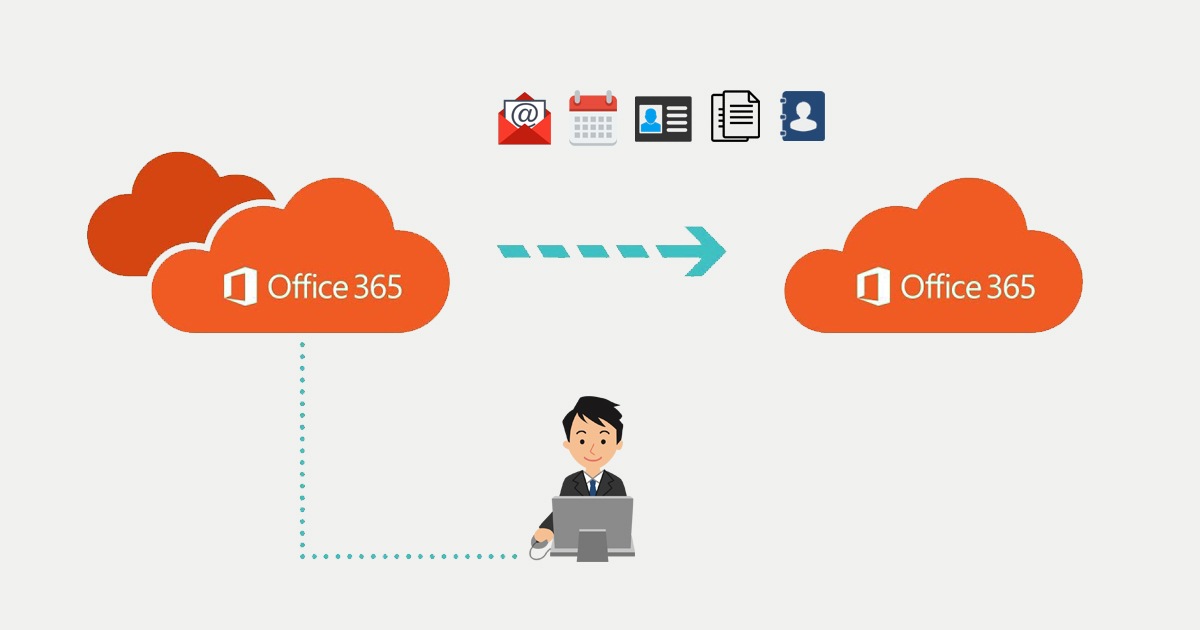

After migrating Users. Shared Mailboxes and Resource Mailboxes, we recreated the Distributions lists. We also populated those groups with the original members. Because we use the CustomAttribute1 and CustomAttribute2 attributes, we where able to filter. CustomAttribute1 is set to CROSSTENANT. But with the creation of groups and users, we added the original PrimarySMTPAddress to CustomAttribute2.
In the source tenant (GetToTheCloudSource.onmicrosoft.com) is the mailbox converted to a Mailuser and was set to forward the email to the mailbox in the target tenant (GetToTheCloudTarget.onmicrosoft.com).
Shared SMTP namespace
Microsoft does not allow to use a smtp namespace on multiple tenants. It can only be attached to a single tenant. Preforming a mailbox migration cross tenant will set you to a choice how to preform the migration. February 2022 Microsoft will release in private preview the shared SMTP namespace feature. During the coexistence you will not be able to use de domain from the source tenant in the target tenant as reply address.
Clean up
After the migration of the mailboxes, you need to transfer the domain from source tenant to target tenant. To remove a domain you will need to disconnect it from users/groups or other linked items in Azure Active Directory. In the portal you will be able to get a reference of the connections.
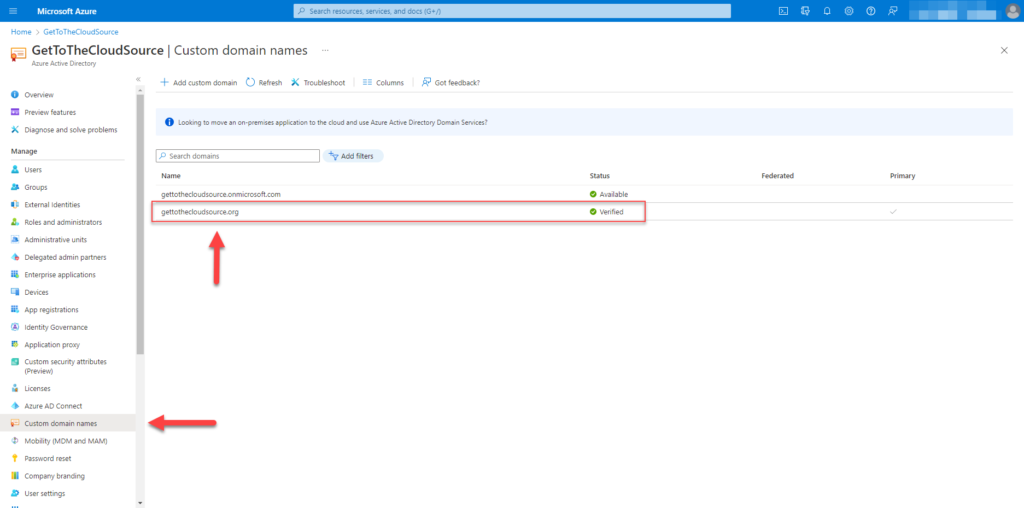
In Azure Active Directory browse to Custom domain names and select the domain you want to see the references.
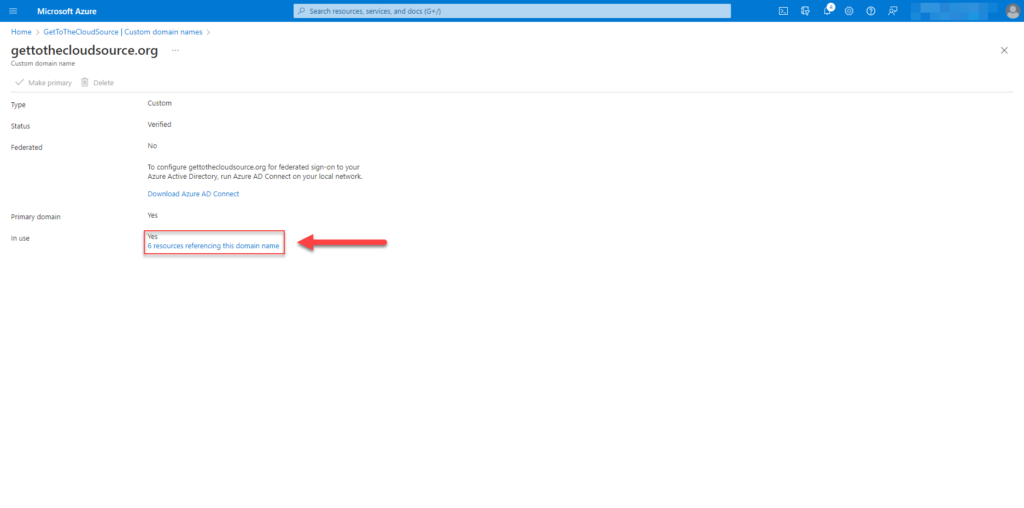
At the bottem, you will be able to see how much references the domain is linked to.
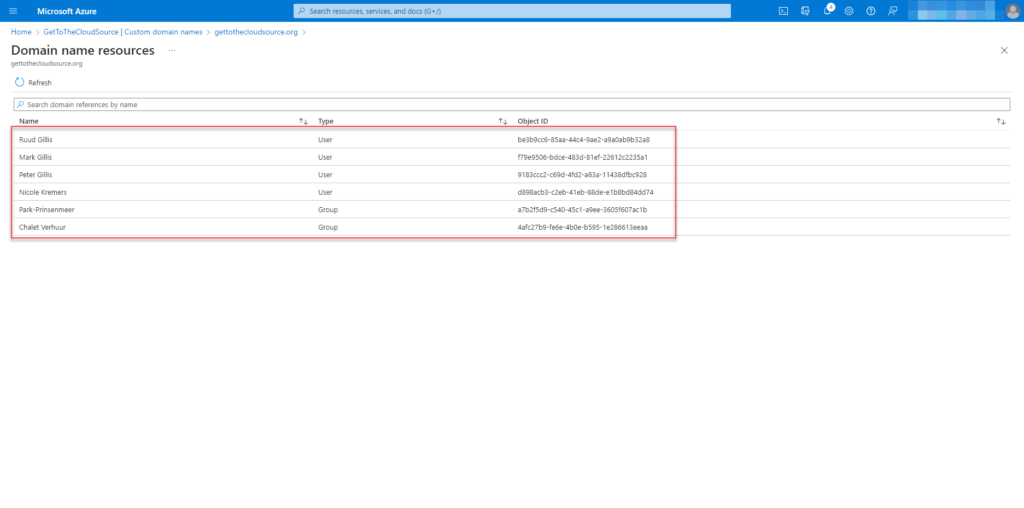
In the list you will see all users, groups and applications. These references need to be empty before the domain can be deleted.
Of course this can be reached with PowerShell also.
$clientid = ""
$tenantid = ""
$certificateThumbprint = ""

# getting MSAL token for Graph API
do {
    try {
        $CertificatePath = "cert:\currentuser\my\$CertificateThumbprint"
        $Certificate = Get-Item $certificatePath
        $AccessToken = Get-MsalToken -ClientId $ClientId -TenantId $TenantId -ClientCertificate $Certificate -ForceRefresh
        $mustRetry = 0
    }
    catch {
        $webError = $_
        $mustRetry = 1
        Start-Sleep -seconds 2
    }

} while (
    $mustRetry -eq 1
)

# creating headers for RestMethod
$header = @{
    'Authorization' = "BEARER $($accesstoken.accesstoken)"
    'Content-type'  = "application/json"
}
Getting the information via Graph API
# selecting domain
$domain = "gettothecloudsource.org"

# building URL
$referenceUrl = "https://graph.microsoft.com/v1.0/domains/$domain/domainNameReferences"


# connecting Graph API
$references = @()
try {
    While ($referenceUrl -ne $null) {
       $data = (Invoke-RestMethod -method GET -Headers $header -Uri $referenceUrl)
       $references += $data.value
       $referenceUrl = $data.'@odata.nextLink'
    }
}
catch {
    $webError = $_.Exception
    if ($Weberror.Message -eq "Response status code does not indicate success: 404 (Not Found).") {
       write-host "ERROR: " -nonewline -ForegroundColor red
       Write-Host "$($domain.id) cannot be found. Continue..."
    }
    else {
       write-host "ERROR: " -nonewline -ForegroundColor red
       Write-Host "There was an error collecting domain references ..."
       write-host "ERROR: " -nonewline -ForegroundColor red
       Write-Host "$($weberror.Response.StatusCode) to $($referenceUrl)"
       #break
    }
}
$references
Remove domain from tenant
If all references are removed for domain, you will be able to remove the domain. If you have changed the primary domain al ready, you are also able to let Azure change all resources to the new domain.
Select the domain to be removed at the Custom domain names tab.
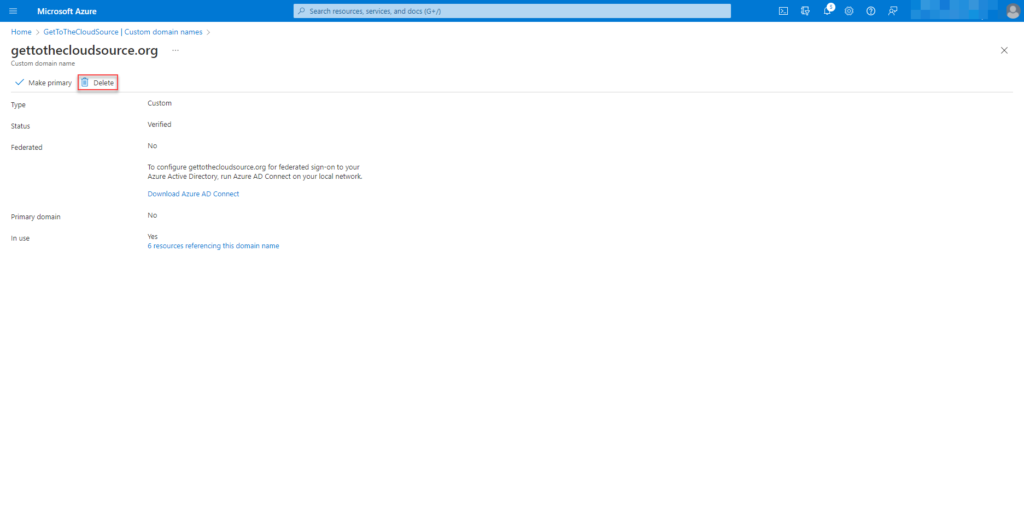
Delete will only be available if the domain is not primary
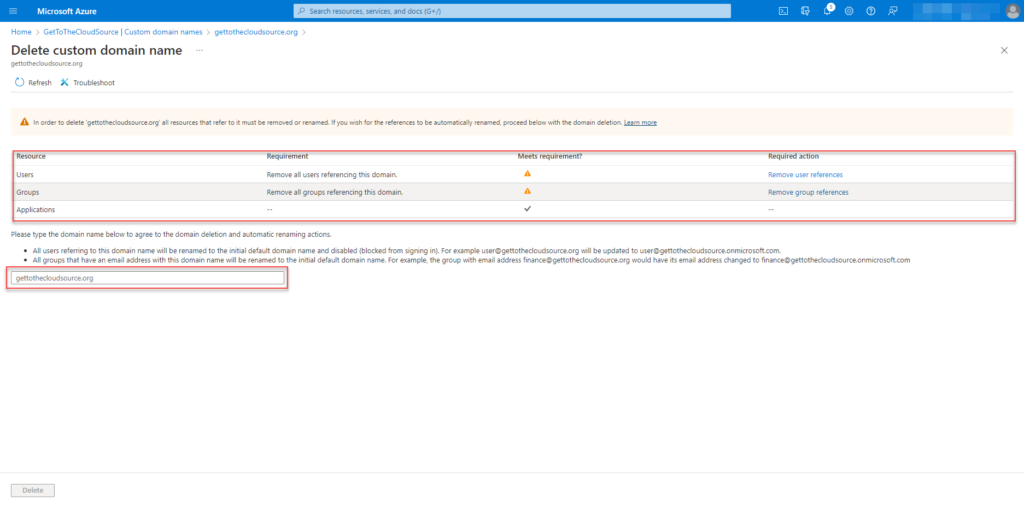
If you have deleted all references of the domain, the checks will be green. Otherwise just type the domain to rename the objects to de initial tenant. In this case the rename will result in @gettothecloudsource.onmicrosoft.com.
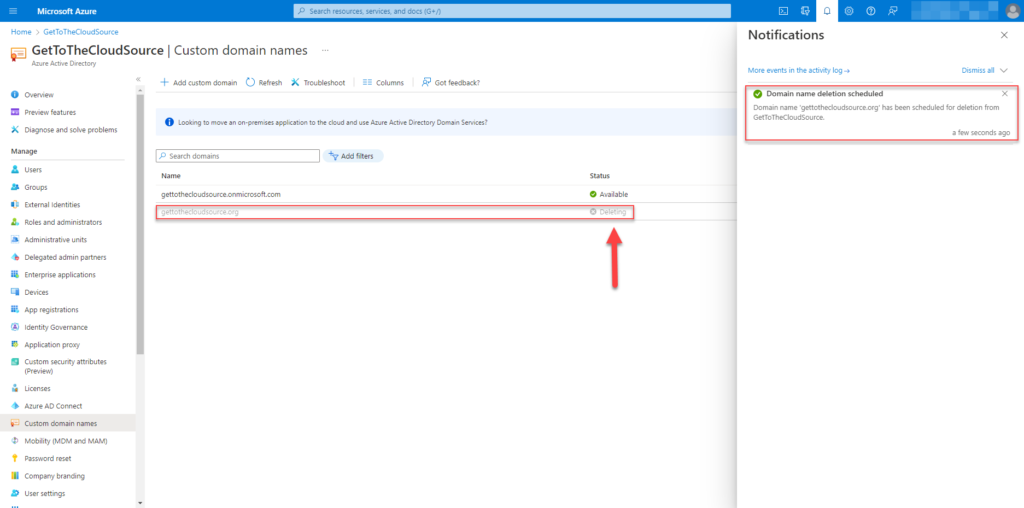
Renaming of the object to initial tenant is starting and deletion of domain is scheduled.
Finishing up
Now the domain is detached from the source tenant, you will be able to attach it to the target tenant. With the attach, you will be able to add the SMTP addresses again to the users that where migrated.
# connect to target tenant
Connect-ExchangeOnline

# get mailboxes that where migrated
$Mailboxes = Get-Mailbox | Where-Object {$_.CustomAttribute1 -eq "CROSSTENANT"}

# add the original primarysmtpaddress to the email addresses
ForEach ($Mailbox in $Mailboxes}
    Try {
       Set-Mailbox -identity $Mailbox.identity -EmailAddresses @{add = "smtp:$($mailbox.CustomAttribute2"}
       Write-Host "INFO: $($Mailbox.DisplayName) is edited and $($Mailbox.CustomAttribute2) was added to EmailAddresses
     }
     catch {
        Write-Host "ERROR: Cannot add original SMTP address to EmailAddresses for user $($Mailbox.DisplayName)"
     }
}