
Azure Landing Zones are often implemented for very good reasons: governance, security, scalability, and a repeatable platform foundation that can support many workloads over time.
But once a Landing Zone is live, a familiar problem quickly appears: visibility fades, documentation lags behind, and operational knowledge sits in people’s heads instead of on paper.
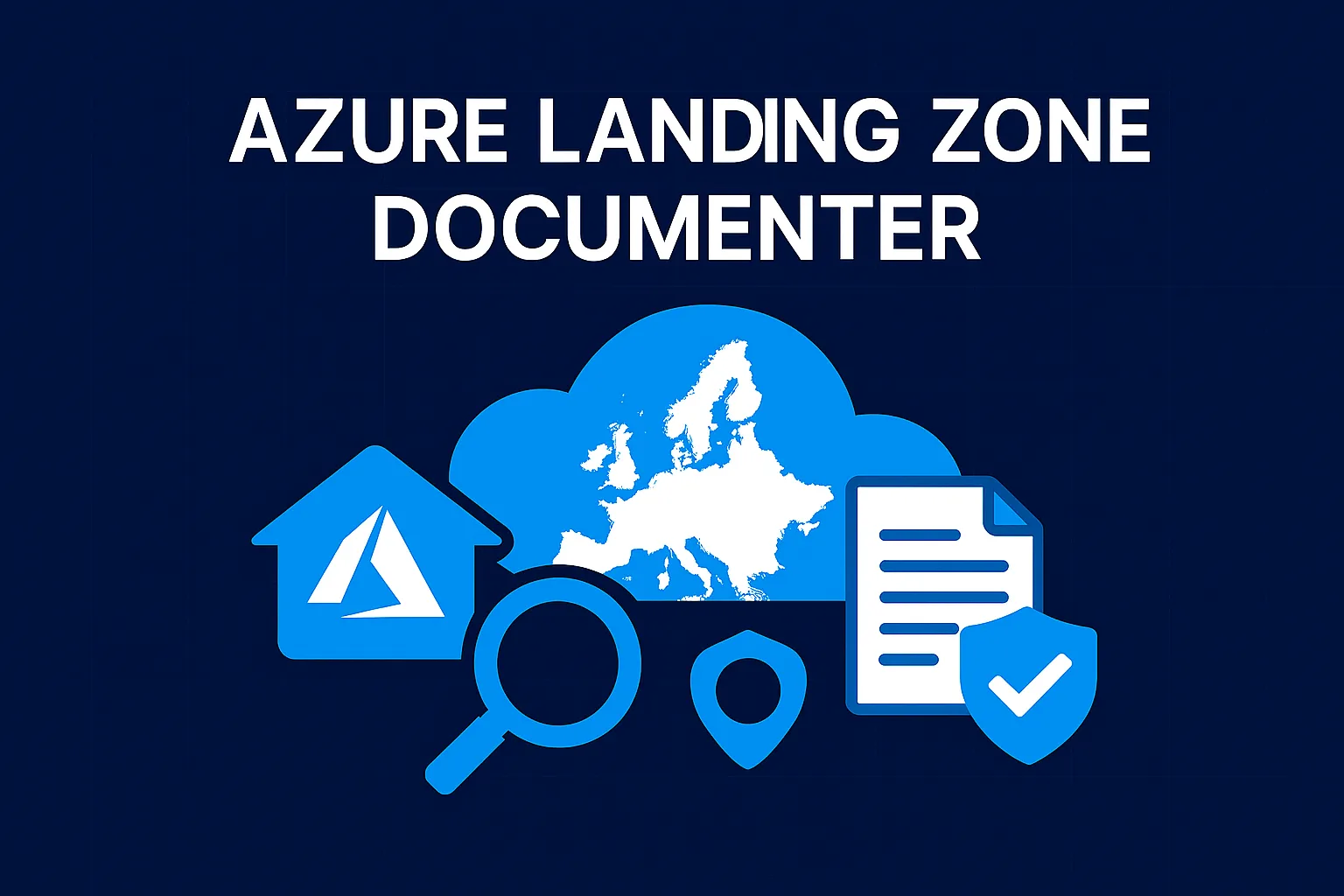
That’s exactly the gap Azure Landing Zone Documenter is designed to close.
The real challenge with Azure Landing Zone documentation
Azure Landing Zones are not “just a deployment”. They’re a platform made up of multiple design areas—identity and access, resource organization, networking and connectivity, security, governance, and operations.
And because those areas evolve continuously.
- Manually maintained
- Incomplete or outdated
- Scattered across diagrams, wikis, Excel sheets, and runbooks
- Hard to reproduce for audits, handovers, or incidents
When auditors, security teams, or management ask:
“What exactly is deployed, where, and how is it configured?”
…answering that question often takes far too long.
Introducing Azure Landing Zone Documenter
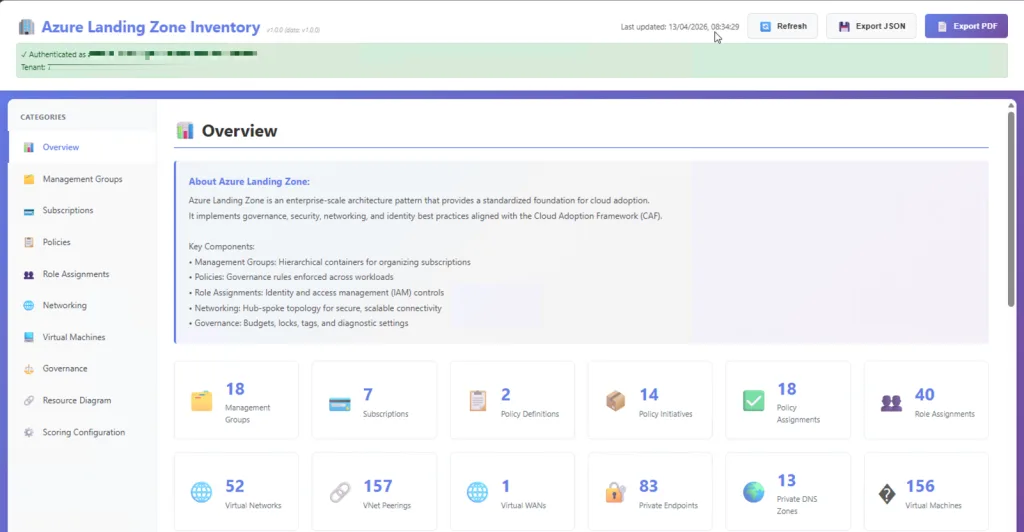
Azure Landing Zone Documenter is an open-source tool that aims to automatically scan and document Landing Zone environment, with an emphasis on the parts that typically matter most during reviews, troubleshooting, and audits: network topology, connectivity, DNS, governance, and security controls.
The key principle is simple:
Structured documentation, based on actual configuration, not assumptions.
No guesswork.
No outdated diagrams.
Just evidence.
What it focuses on (and why)
Landing Zones are designed around a set of foundational “design areas” because decisions made here affect everything that comes later.
That’s why the Documenter approach targets the things teams repeatedly need to explain.
- Resource organization (management groups & subscription foundations)
- Network topology and connectivity (the platform backbone)
- Governance controls (policy assignments, platform guardrails)
- Operational readiness (clarity that supports day-2 operations)
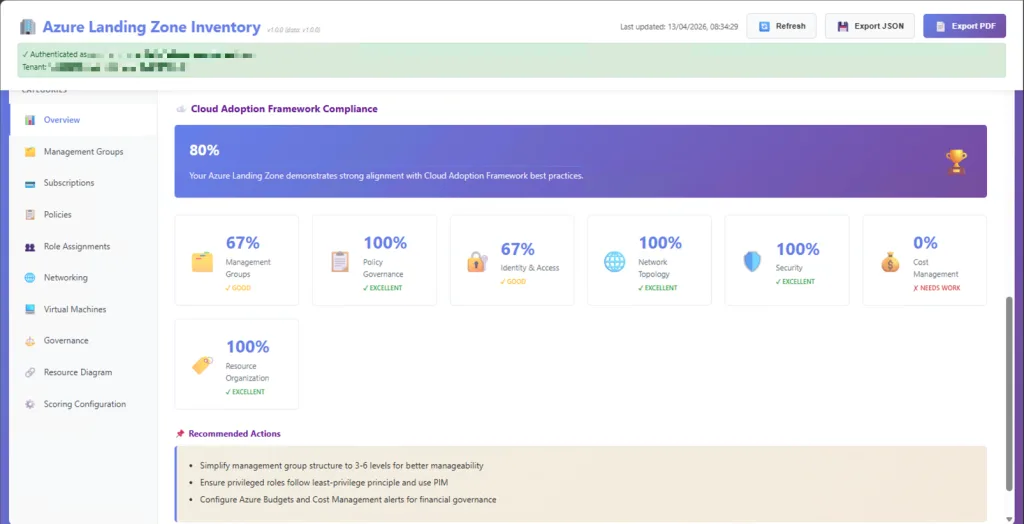
On the Azure Documenter site, Azure Landing Zone Documenter is described as scanning and documenting hub-spoke topology, VPN gateways, networking, DNS zones, security policies, governance settings, NSGs, tagging and resource groups, and Azure Policy assignments.
How it works (the same simple flow)
One of the things I like most about the “Documenter” concept is that it keeps the experience straightforward:
- Authenticate to Azure using your own credentials (typically Reader is enough).
- Start a local server on your machine and access it via your browser.
- Generate documentation by selecting the inventory type and letting the tool scan your environment.
Just like the other Documenter tools, the idea is: run it locally, generate an interactive report, and keep the data under your control.
Why this matters (especially at scale)
The Azure landing zone journey is explicitly described as a multi-step process: bootstrap, platform foundation, subscription vending, application landing zones, then workloads.
That means Landing Zones are built to change, new subscriptions, new policies, new spokes, new services.
So the real value of a tool like this is not “pretty documentation”.
It’s the shift from:
- tribal knowledge → evidence
- manual effort → automation
- uncertainty → clarity
Who this is for
If you touch Landing Zones in any of these roles, you’ll recognize the pain immediately:
- Architects who need a clean, explainable overview of the platform foundation
- Platform / Cloud Center of Excellence teams operating governance and connectivity at scale
- Consultants / MSPs doing assessments, rationalization, audit prep, or handovers
- Security / compliance teams who need proof of configuration and guardrails
Where to find it
- GitHub: https://github.com/GetToThe-Cloud/documenter-azure-landingzone
- More tools in the suite: https://www.azuredocumenter.com/